⚠ This is not the official pump.fun or PumpSwap website. PumpSwap Guide is an independent, educational project. We are not affiliated with pump.fun, PumpSwap, or any wallet vendor named below. Any figures attributed to the official pump.fun site may change — always verify there.
- There is no “pump.fun wallet”
- Which Solana wallet to use
- Custodial vs non-custodial, on a napkin
- The seed phrase is the master key
- Backup rules that actually matter
- Recovery via seed phrase, step by step
- Hot vs cold wallets
- Hardware wallets for larger sums
- 2FA, passwords and where they apply
- Approval hygiene and revoking
- Open-source status and privacy
- Our wallet-safety scorecard
- FAQ
There is no “pump.fun wallet”
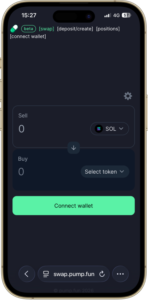
Let's clear this up before anything else, because it's the most expensive misunderstanding in the whole ecosystem. pump.fun does not ship a wallet. Neither does PumpSwap. They are web interfaces that talk to a wallet you already own. When you click “connect wallet” on the pump.fun app or the swap DEX, you are pointing an existing Solana wallet at the site — not downloading some branded “pumpfun wallet.”
This matters because scammers exploit the confusion constantly. Search “pump.fun wallet download” and you'll find a healthy crop of fake apps, fake browser extensions and fake landing pages whose entire job is to capture your seed phrase. There is no legitimate first-party wallet to download, so any result claiming to be one is, by definition, not what it says it is.
Which Solana wallet to use
pump.fun runs on Solana, so you need a Solana-compatible self-custody wallet funded with a little SOL to cover network fees. The three names you'll see most often are Phantom, Solflare and Backpack. They are all non-custodial — meaning you, and only you, hold the keys.
| Wallet | Form factor | Hardware support | Notable for |
|---|---|---|---|
| Phantom | Browser extension + mobile | Yes (Ledger) | Most widely used; multi-chain; clean UX. |
| Solflare | Browser extension + mobile + web | Yes (Ledger) | Solana-native, staking features, long track record. |
| Backpack | Browser extension + mobile | Partial | Newer; tight integration with some Solana apps. |
We're describing categories, not endorsing a specific brand or telling you to buy anything. Pick a wallet with an established reputation, download it only from the official site or the official app store listing (check the URL character by character), and ignore extensions promoted in search ads. Fake wallet extensions are a recurring problem precisely because the download step is where users are most easily tricked.
Whichever wallet you choose, the wallet brand matters far less than your handling of the seed phrase. A perfectly secure wallet with a leaked seed phrase is an empty wallet. The rest of this page is about that.
Custodial vs non-custodial, on a napkin
This single distinction decides what happens to your money on the worst day, so here it is in plain terms.
🏦 Custodial = a bank holds it for you
- The company holds your keys and your coins.
- Forgot your password? Support can reset it.
- You pass KYC; the firm is accountable and often insured against certain failures.
- Examples: regulated centralized exchanges.
🔐 Non-custodial = your own safe
- You hold the keys in a wallet like Phantom. pump.fun and PumpSwap are non-custodial.
- Lose your seed phrase and the money is gone forever — there is no support line.
- No KYC, no password reset, no insurance.
- One careless signature can drain the whole wallet.
Self-custody is genuine freedom and genuine, undelegated responsibility. There's no helpdesk to call when it goes wrong, because the entire design removes the middleman who could have helped. A common, sane setup: keep the bulk of your funds on a regulated exchange, and move only a small, disposable amount into a self-custody wallet for memecoin trading. See our login guide for how wallet-based “login” works without any password at all.
The seed phrase is the master key
When you create a wallet, it generates a seed phrase — usually 12 or 24 ordinary English words in a fixed order. This phrase is not a backup of your password. It is your wallet. From those words, the wallet mathematically derives every private key and every address inside it.
The consequences follow directly:
- Anyone with your seed phrase has your money. They can import it into their own wallet anywhere in the world and empty it. No further authentication required.
- You with the seed phrase can always rebuild the wallet. Lost your phone, smashed your laptop, deleted the extension? The seed phrase restores everything onto a new device.
- You without the seed phrase have nothing. If you lose the words and lose access to the installed wallet, the funds are unrecoverable. Permanently. This is not a threat or an edge case; it is how the cryptography works.
Treat the seed phrase like the only key to a vault that holds everything you put in — because that is exactly what it is. There is no locksmith.
Backup rules that actually matter
Most seed-phrase losses are not exotic hacks. They're soggy notebooks, a phone factory-reset before anyone wrote anything down, or a screenshot that synced to a cloud account that later got breached. Here are the rules worth following.
- Write it on paper, offline. Pen and paper, the moment the wallet shows you the words. Do it before you send any real money in.
- Never store it digitally. No screenshots, no photos, no notes app, no email to yourself, no password manager entry, no cloud document. Anything that touches the internet can leak.
- Make a second copy, kept separately. One copy can burn or flood. Two copies in two locations protects against accidents without multiplying theft risk much.
- Consider a metal backup for serious amounts. Steel plates survive fire and water that paper won't. Overkill for $20 of memecoins; sensible for meaningful holdings.
- Never type it into a website. Ever. Legitimate recovery happens inside the wallet app, not on a web page. This is the single most exploited weakness.
- Don't tell anyone you have it, or where. Not “support,” not a Discord helper, not a too-good giveaway. Social engineering does most of the work in crypto theft.
A “support agent” who DMs you first, offers to “help recover” your wallet, and walks you toward a form that asks for your seed phrase is always a thief. Real support never initiates contact and never needs your phrase.
Recovery via seed phrase, step by step
If you got a new phone, reinstalled your browser, or wiped a machine, you restore the wallet from the seed phrase. The flow is broadly the same across Phantom, Solflare and Backpack.
- Install the official wallet on the new device — again, only from the official site or store listing. Verify the URL.
- Choose “Import” or “Restore existing wallet,” not “Create new wallet.”
- Enter your seed phrase in the exact order, inside the wallet app itself. Make sure no one is watching your screen and that you are offline-of-mind about any browser tab — this happens in the app, never on a website.
- Set a new local password for that device. This password only unlocks the app on that one machine; it is not your seed phrase and cannot recover funds on its own.
- Wait for balances to sync. Your tokens and SOL reappear because they were never stored in the device — they live on the Solana blockchain and the seed phrase just re-derives your access to them.
If you reach the import screen and realize you never wrote the seed phrase down — and you no longer have a working installation — there is no step 6. The funds cannot be recovered by anyone, including the wallet developer. We say this plainly because hoping otherwise wastes time scammers love to exploit with fake “recovery services.”
Hot vs cold wallets
The terms describe where your private keys live relative to the internet.
Hot wallet
Browser extension or phone app. Keys sit on an internet-connected device. Convenient for trading, exposed to malware and phishing. Phantom, Solflare and Backpack are hot wallets by default.
Cold wallet
Keys stored offline on a hardware device or air-gapped setup. Far harder to drain remotely because signing requires the physical device. Less convenient for rapid trading.
The split
Many people run both: a hot wallet with disposable trading funds, and a cold wallet holding the amounts they actually care about keeping.
For fast, low-value memecoin swaps on PumpSwap, a hot wallet is the practical choice — that's what makes the one-click flow possible. The discipline is keeping the balance low: treat it like the cash in your pocket, not your life savings. If the device is compromised, you lose what's in the hot wallet, and nothing more.
Hardware wallets for larger sums
Once you're holding more than you'd shrug off losing to a single bad signature, a hardware wallet is the logical next step. A device like a Ledger keeps your private keys inside a dedicated chip that never exposes them to your computer. When you trade, the transaction is sent to the device, you review and physically confirm it on the hardware, and only the signature comes back. Malware on your laptop can request a signature, but it can't produce one without your physical button press — and a careful read of the device screen.
Phantom and Solflare both support connecting a Ledger, so you can keep using the same pump.fun and PumpSwap interfaces while the keys stay offline. The trade-offs are real: hardware wallets cost money, add friction to every transaction, and you still have to back up that device's seed phrase with the same care. But for meaningful holdings, the friction is the point.
A hardware wallet does not make you immune to phishing. If you confirm a malicious transaction on the device because you didn't read the screen, the hardware dutifully signs it. The device protects your keys; it can't protect you from approving theft. Read every confirmation.
2FA, passwords and where they apply
This trips people up, so be precise about it. A self-custody Solana wallet does not have two-factor authentication in the way a centralized exchange does, and the “password” you set is local-only.
- Wallet app password: unlocks the app on that one device. It does not protect funds if your seed phrase leaks, and it can't recover funds on its own. Useful against someone grabbing your unlocked phone; useless against a leaked phrase.
- 2FA on exchanges, not wallets: if you also hold funds on a custodial exchange, that's where app-based 2FA (an authenticator app, not SMS) genuinely matters. Enable it there. Avoid SMS 2FA where possible — SIM-swap attacks defeat it.
- The hardware device is your “second factor” in self-custody: physical confirmation on a Ledger is the closest equivalent to 2FA for a non-custodial wallet.
So the honest summary: in pure self-custody, there is no “turn on 2FA” switch that saves you. Your security model is the seed phrase plus, optionally, a hardware device. Plan accordingly rather than assuming a safety net exists.
Approval hygiene and revoking
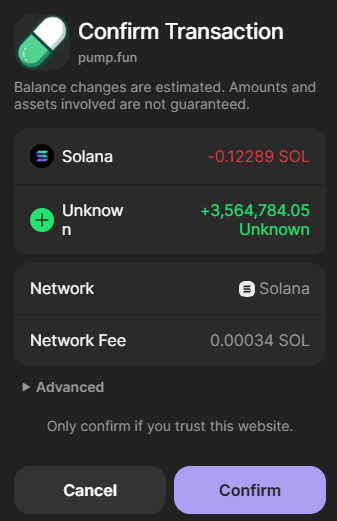
Beyond the seed phrase, the other way wallets get drained is through transactions and approvals you signed yourself. When you interact with a DEX or any on-chain program, you sometimes grant it permission to move specific tokens, or you sign a transaction that does more than you realized. A malicious or compromised site can craft a signature request that, if approved, hands over your tokens or grants a sweeping permission.
- Read every signature request. The wallet shows what you're authorizing. If it asks to move tokens you didn't intend to move, reject it.
- Be suspicious of unexpected pop-ups. A signature request that appears without you clicking anything is a red flag.
- Review connected apps periodically. Wallets list the sites you've connected. Disconnect ones you no longer use.
- Revoke stale approvals. Use your wallet's settings or a reputable revoke tool to cancel permissions you granted in the past. Closing unused approvals shrinks what an attacker can abuse later.
- Use a fresh “burner” wallet for sketchy mints. For anything experimental, a separate wallet with minimal funds limits the blast radius.
Approvals you granted months ago don't expire on their own. Treat a periodic approval review like changing the batteries in a smoke detector — boring, easy to skip, and exactly the thing you'll wish you'd done.
Open-source status and privacy
Two questions worth asking about any wallet: is the code open to inspection, and what does it know about you?
On the open-source front, wallets vary. Some publish their full source so independent researchers can audit it; others keep parts closed. Open source is not a guarantee of safety — few people actually read the code, and a published audit can still miss things — but it does mean the option to verify exists, which a closed wallet denies you. Check each wallet's own documentation for its current status rather than trusting a blanket claim, including ours.
On privacy, remember that two layers are at play. The Solana blockchain itself is public and permanent: every transaction your address makes is visible forever to anyone, and addresses can often be clustered and linked to identities over time. Self-custody gives you control of keys, not anonymity. Separately, the wallet software and the websites you connect to may collect data — IP addresses, device fingerprints, the RPC endpoints you hit. Whether a given wallet logs your IP, and for how long, is a question for its privacy policy. We won't assert a specific wallet's logging behavior here, because policies change and we don't audit them line by line; read the policy of the wallet you actually install. Our broader take on the network's transparency lives in the Solana guide.
Our wallet-safety scorecard
An editorial read of self-custody for a typical pump.fun user. This is our opinion, not a measurement, and it reflects the model, not any single wallet brand.
The pattern is consistent: self-custody scores high on control and on the ceiling of security you can reach, and low on forgiveness. The tools to be very safe exist; the system will not stop you from being unsafe.
If you'd rather not learn self-custody with money you can't afford to lose, a reasonable starting point is a managed wallet or a regulated exchange where recovery options exist, then move small amounts into self-custody once the habits are second nature.
Set up a self-custody wallet→FAQ
Is there an official pump.fun wallet app?
No. There is no standalone “pump.fun wallet” to download. pump.fun and PumpSwap are non-custodial interfaces that connect to a Solana wallet you already control, such as Phantom, Solflare or Backpack. Anyone advertising an official “pumpfun wallet” download is almost certainly running a scam.
What happens if I lose my seed phrase?
If you lose your seed phrase and no longer have access to the device where the wallet is installed, the funds are gone permanently. There is no support desk, no password reset and no recovery procedure. The seed phrase is the only master key, which is why backing it up offline before you fund the wallet matters so much.
Can someone steal my crypto with just my wallet address?
No. A public wallet address is safe to share for receiving funds. Theft happens when someone gets your seed phrase or private key, or when you sign a malicious transaction or token approval. Never type your seed phrase into a website and never approve a transaction you don't understand.
Do I need a hardware wallet for pump.fun?
Not to get started, but it's the logical next step once you're holding more than you'd be comfortable losing to a single bad signature. A hardware wallet such as a Ledger keeps your private keys offline so malware on your computer can't sign transactions without your physical confirmation on the device.
What are token approvals and why should I revoke them?
When you trade on a DEX you sometimes grant a program permission to move specific tokens from your wallet. Stale or malicious approvals can be abused later. Periodically reviewing and revoking approvals you no longer need closes that attack surface, typically through your wallet's connected-apps settings or a revoke tool.
Is a hot wallet safe enough for small memecoin trades?
A hot wallet is convenient and fine for small, disposable amounts you actively trade. The trade-off is that the keys live on an internet-connected device, so malware and phishing are real risks. Keep the bulk of your funds elsewhere and treat the hot wallet like the cash in your pocket, not your savings account.